
If you recently opened your website’s XML sitemap in Google Chrome, you may have been greeted by a wall of unformatted text, raw XML tags, or a prominent browser warning banner.
For site owners and SEO managers used to clean, formatted tables with clickable URLs and last-modified dates, seeing unstyled code can feel like an immediate site failure.
The good news? Your site isn’t broken, your database hasn’t crashed, and your organic search rankings are completely safe despite this XML Sitemap update.
This change is caused by an underlying browser technology update rolling out across Chromium-based browsers.
Here is what is changing, the exact deprecation timeline, why your search indexing remains unaffected, and how webmasters can handle the transition.
What Is Changing: Chrome Is Removing Built-In XSLT Support
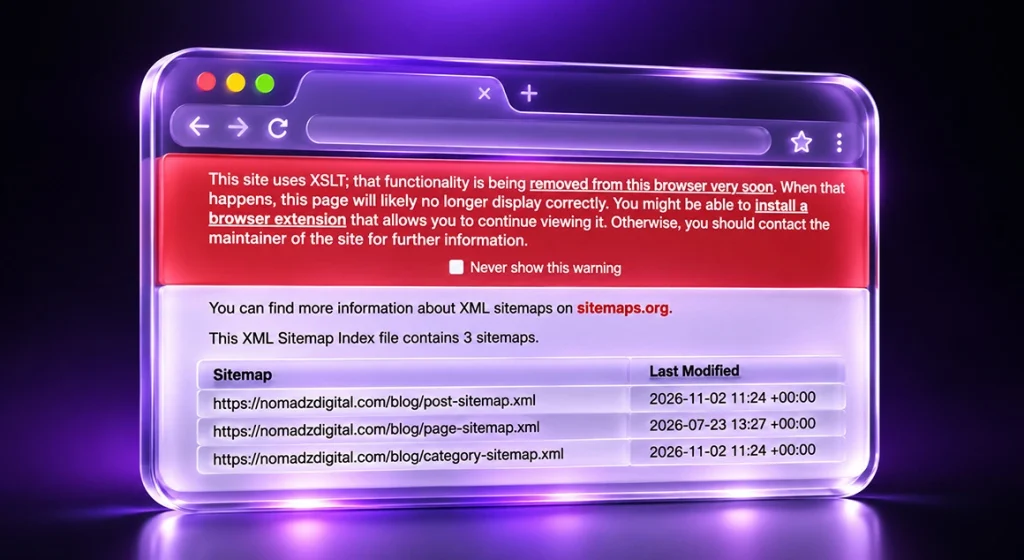
For over two decades, XML sitemaps relied on XSLT (Extensible Stylesheet Language Transformations) to look presentable to human visitors.
When popular SEO plugins, like Yoast SEO, Rank Math, All in One SEO, or core WordPress, generate a fresh XML Sitemap update, they include a stylesheet tag near the top of the file. When a human opens that link in a browser, XSLT translates the raw machine-readable data into a clean, human-readable HTML document complete with styled columns and links.
Google Chrome is officially removing native, client-side XSLT support.
Without built-in XSLT processing, Chrome will no longer transform XML files into styled web pages. Instead, the browser displays a Chrome XSLT warning banner alongside the unformatted XML tree underneath.
The Removal Timeline: Key Milestones to Watch
Google’s deprecation process for XSLT is moving through structured phases:
- November 17, 2026 (Chrome 158): Native XSLT support is disabled on the main stable release for standard web users. Styled sitemaps and RSS feeds instantly fall back to rendering raw, unformatted code.
- August 17, 2027 (Chrome 176): Full deprecation finishes completely. Enterprise policy overrides and developer origin trials reach their end-of-life, officially ending native XSLT execution across all Chrome installations.
Because Microsoft Edge builds on the Chromium core engine, it is following the exact same path, and other major engines like Firefox and WebKit have signaled alignment as well.
SEO Impact: Will Your Search Rankings Suffer?
The short answer is no. Removing XSLT has no negative impact on crawling, indexing, or organic search performance.
- Crawlers Ignore Stylesheets: Search engine bots, including Googlebot and Bingbot, never run browser stylesheets. They parse raw XML tags (<url>, <loc>, <lastmod>) directly to find, crawl, and index your pages.
- Google Search Console Functions Normally: Google Search Console processes, validates, and reports on any XML Sitemap update backend-to-backend. The visual rendering of the file inside a desktop browser is totally irrelevant to how Googlebot handles your site structure.
- Purely a UI Display Change: This update only impacts human users viewing the raw URL directly inside Chrome.
Rest assured that a sitemap that validates today will continue to validate normally after XSLT is fully retired.
How Webmasters Should Respond
You do not need to panic or completely rewrite your technical SEO setup. Here is how to navigate the shift efficiently:
- Verify in Search Console: Check your sitemap status under Google Search Console Indexing > Sitemaps tab. If the status reads “Success,” your search infrastructure is working perfectly.
- Keep Plugins Updated: Most major WordPress XML sitemap plugins and third-party XML sitemap generator tools are developing updates to handle sitemap presentation without relying on native XSLT. Keep your SEO extensions updated to pick up fixes as plugin developers roll them out.
- Use Browser Workarounds for Manual Audits: If you rely on manually inspecting sitemaps during technical SEO audits, you can use a dedicated XSLT Chrome extension or view your sitemap source code directly to inspect URLs and metadata tags.
- Build an HTML Sitemap for Humans: If your site relies on human visitors browsing your page directory, create a dedicated HTML page using standard site builder templates rather than linking users to machine-readable XML files.
Technical growth teams scaling multi-channel digital strategies can also rely on specialized performance marketing services to audit overall technical health and maintain optimal conversion funnels.
The Takeaway: Machine Code Is Back to Being Machine Code
Seeing raw code where a neatly formatted table used to be might feel alarming, but it is simply a browser rendering update.
XSLT was always just a visual coat of paint applied over machine-readable data. As Chrome retires this legacy technology, managing an XML Sitemap update returns to what it was originally built to be: maintaining efficient, unstyled files designed strictly for search engine crawlers.
Maintain your standard plugin update schedule, verify your Search Console coverage, and keep your focus on creating high-converting content.
Frequently Asked Questions
Chrome is phasing out native XSLT support, which previously transformed raw XML data into a styled, formatted web page. Without XSLT, Chrome displays the raw XML file directly.
No. Search engine crawlers like Googlebot parse raw XML directly and never rely on browser stylesheets. Your crawling, indexing, and ranking will remain entirely unaffected.
XSLT stops working for standard users on November 17, 2026 (Chrome 158), with full deprecation finishing across enterprise policies and origin trials by August 17, 2027 (Chrome 176).
No action is required for SEO purposes. You can simply keep your WordPress core and SEO plugins updated as developers release updated, modern formatting solutions.
Yes, you can use an XSLT Chrome extension, view the page source, or use server-side rendering tools to transform the raw code into readable HTML for manual auditing.